
Part by part
How it works.
What FASTIK does for the technician who takes parts out and for whoever answers for the storeroom. Each block, with the app's real screens.
The app's interface is in Spanish.
Withdraw
Scan. Count. Done.
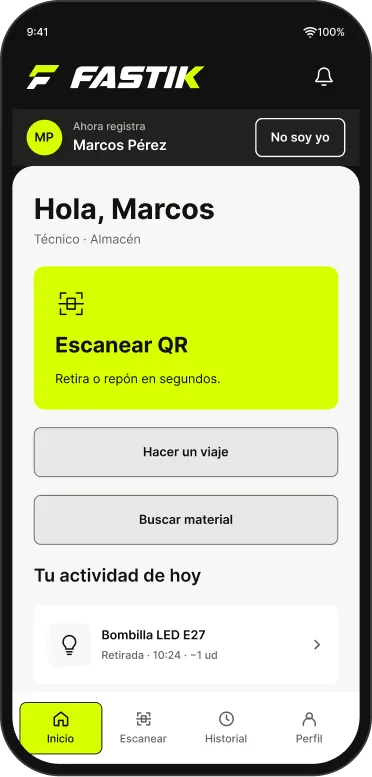
The QR label is on the shelf. The camera reads it by itself, you choose how many units and stock drops right away, under your name.
- Several parts on the same trip, with a single confirmation.
- Withdraw and restock with the same gesture.
- If you take more than there is, it tells you before saving.
- per withdrawal
- a trip with six items
These are the targets each screen is designed for, not measurements.
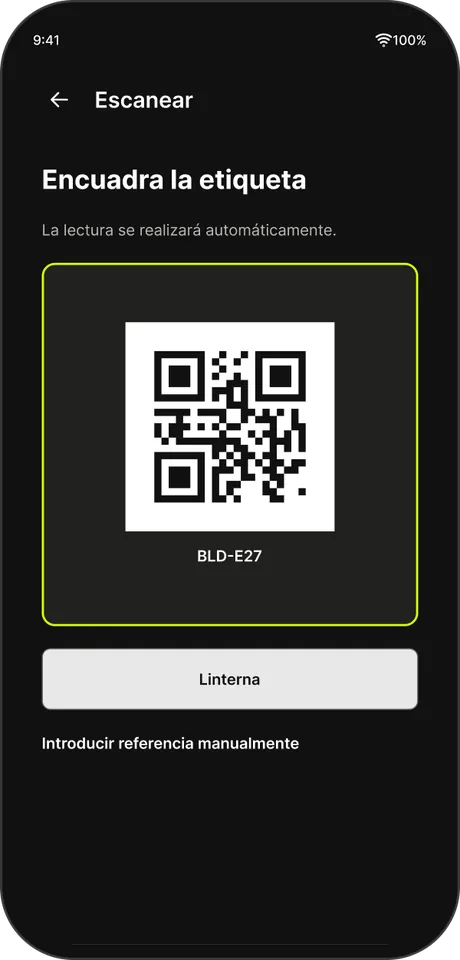
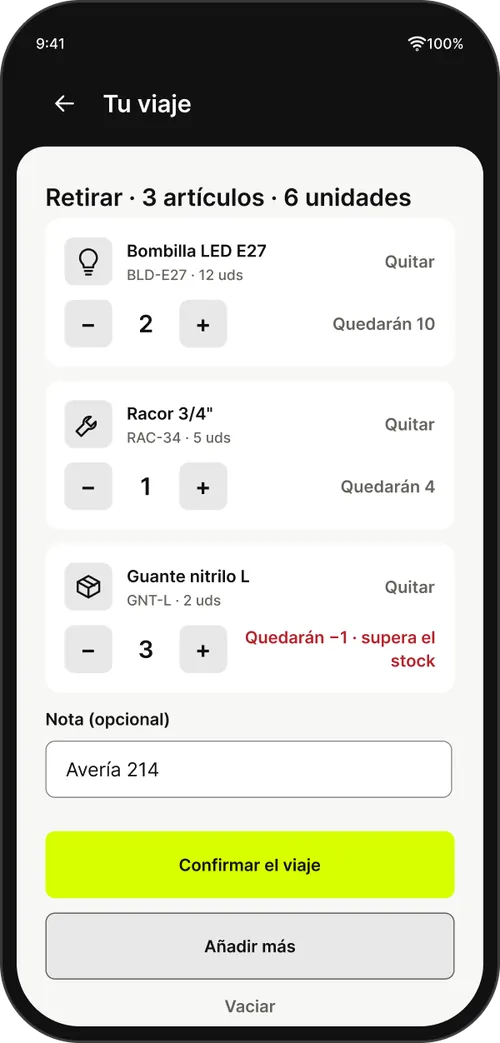
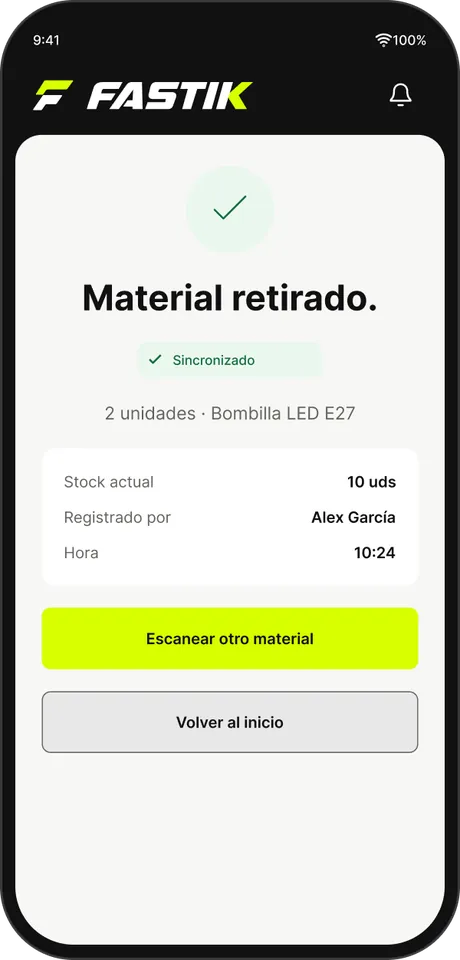
No signal
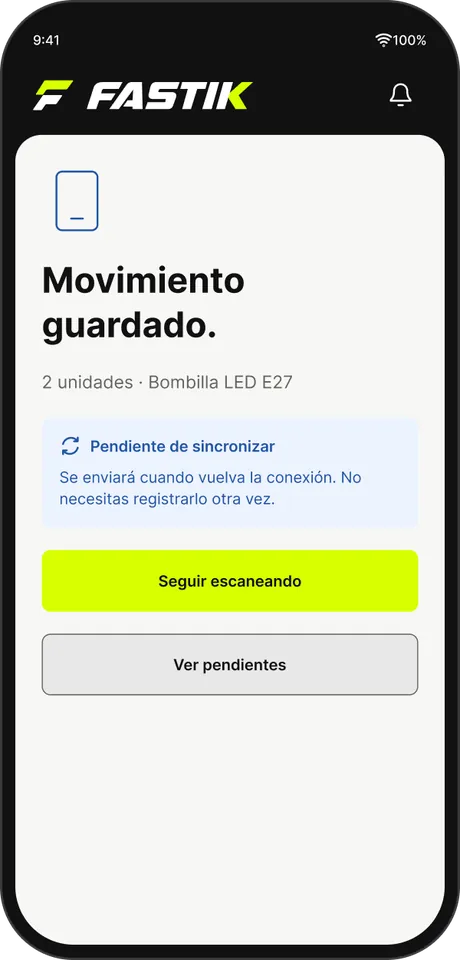
Works offline.
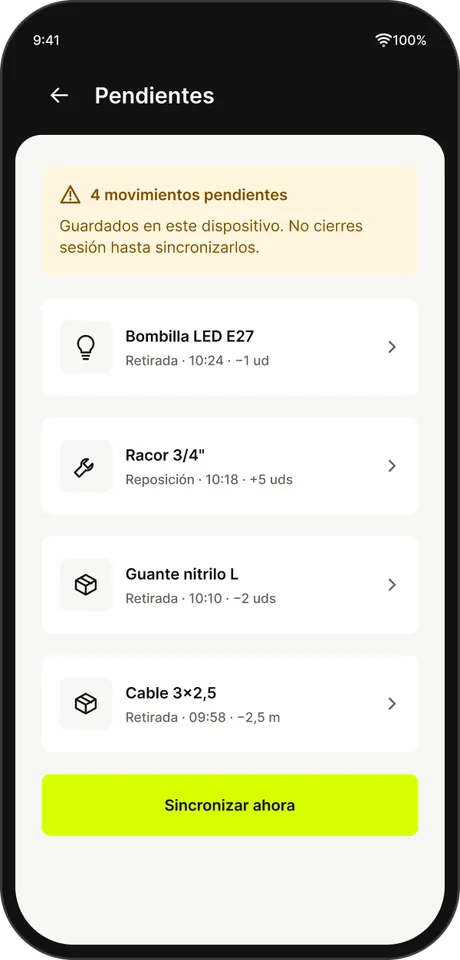
The basement has no signal. FASTIK keeps the movement on the device and sends it when the connection is back.
- It's kept on the device. No need to log it again.
- It goes out by itself when the network is back, with no duplicates.
- If the stock doesn't add up when it arrives, it's held for review. Nothing is lost.
Value and costs
What the storeroom is worth. What repairs cost.
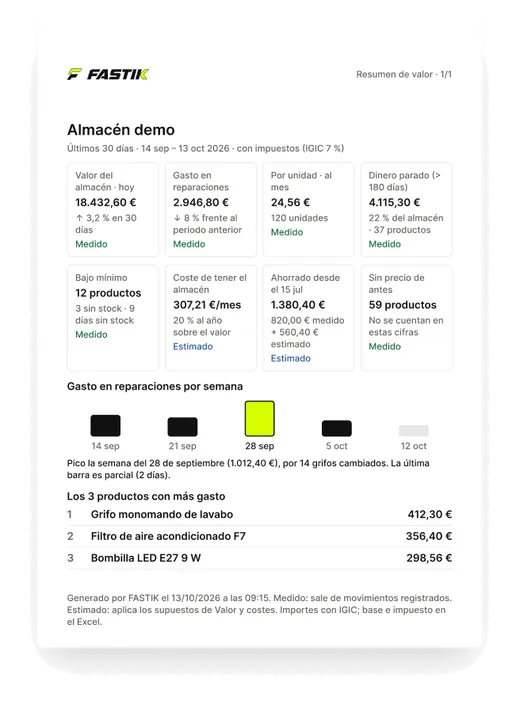
Every withdrawal carries its cost. On the Summary screen you see the storeroom's value, the spend, idle stock and what you've saved. Every figure is two taps from its detail.
- Measured and estimated, kept apart. Estimates carry their label and are never quietly added in.
- Technicians never see a price. The database prevents it, not just the screen.
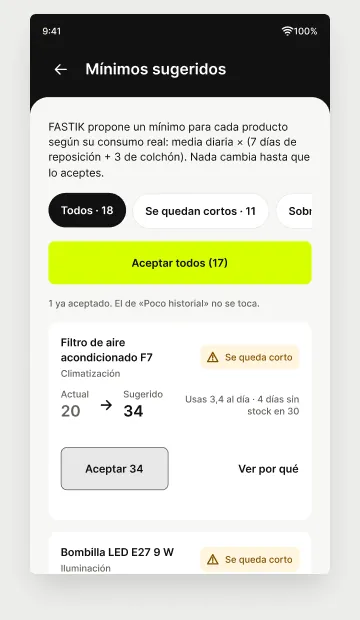
- Suggested minimums based on real usage. You accept them, one by one or all at once.

Figures from the demo storeroom. Not results from a customer.
For management
Take the numbers with you.
Export what you see to Excel or CSV, with its chart. The summary as a PDF, ready for the meeting.
- XLSX
- CSV
-
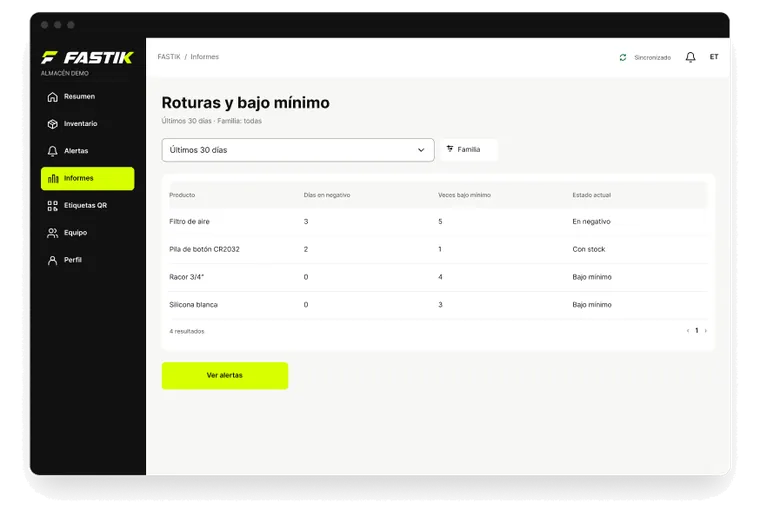
Stockouts and below minimum
What ran out, for how many days and what's at its minimum.
-
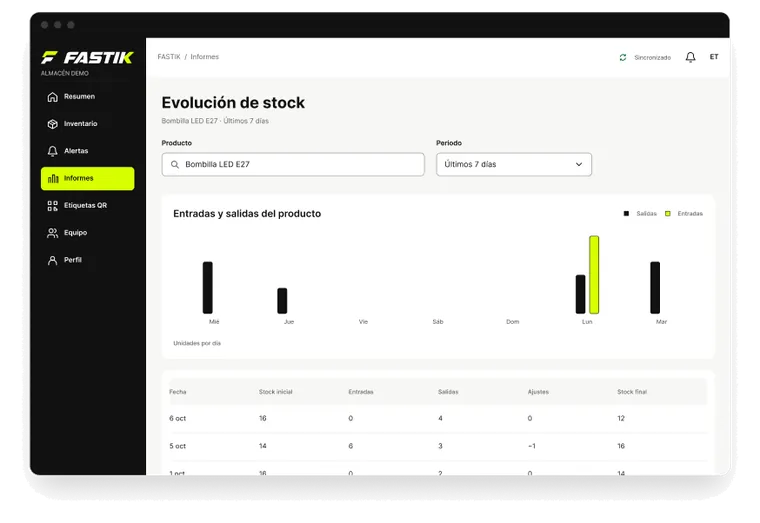
Stock over time
Ins and outs for each product, day by day.
-
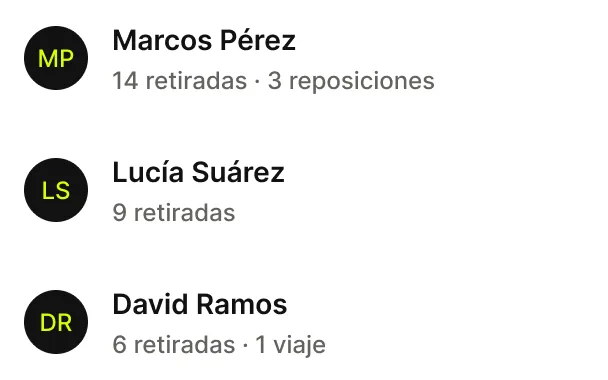
Team activity
Who took what, how much and when. Sample people.
Figures from the demo storeroom. Not results from a customer.
Alerts
A heads-up before it runs out.
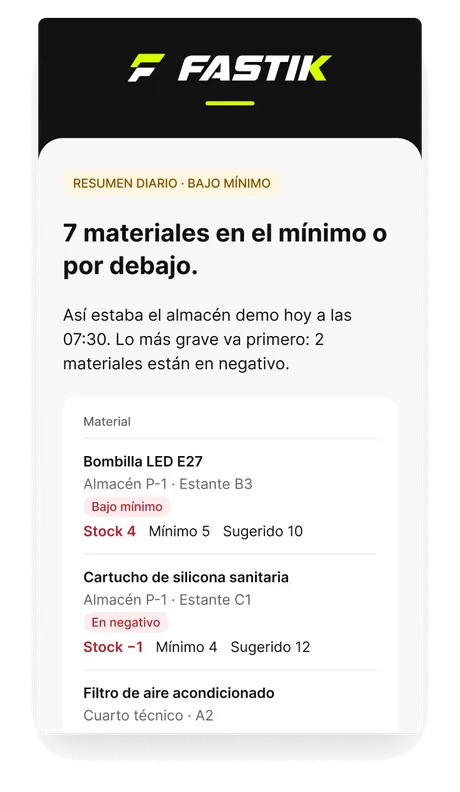
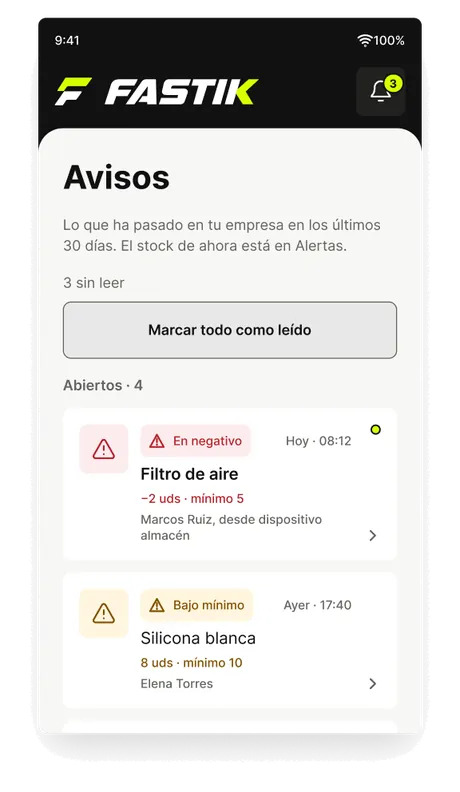
4 bulbs left and the minimum is 5. The manager knows before anyone goes looking for one.
- An email when something drops below minimum or goes negative.
- A daily summary of everything at or below its minimum.
- The alerts inbox, inside the app.
Getting started
Up and running in a day.
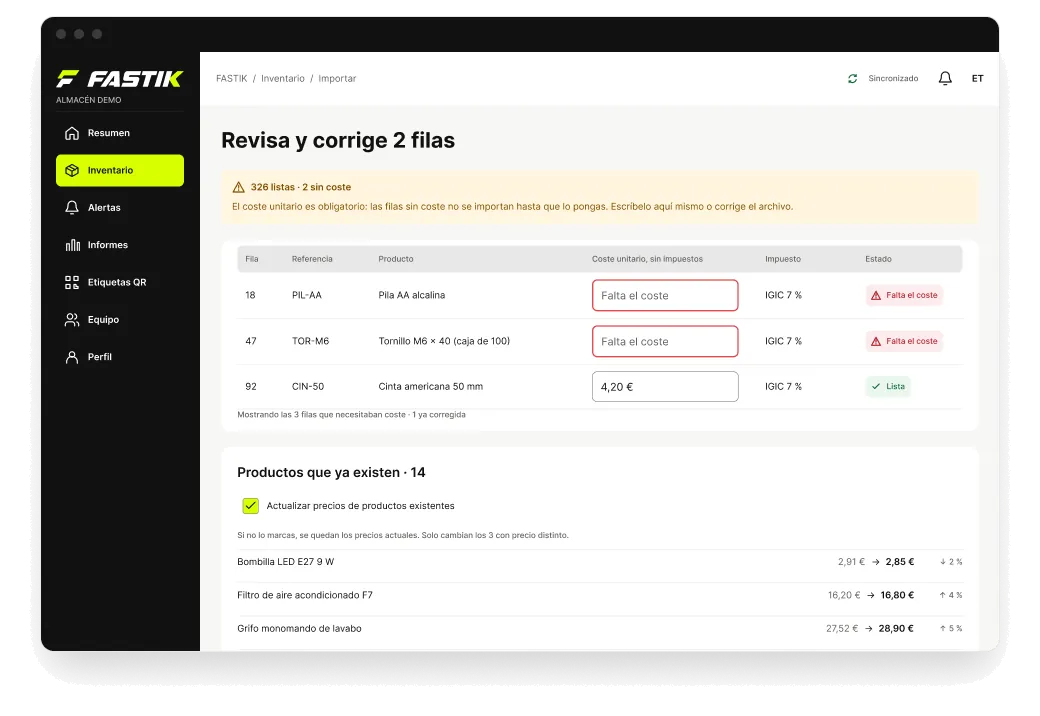
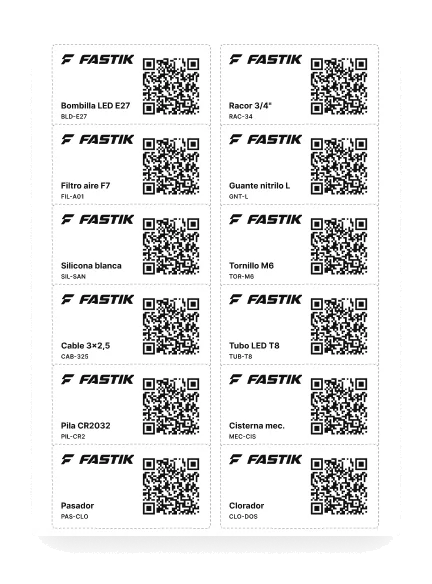
Bring the inventory you already have, stick the labels on and start. Nothing to install.
- Upload your Excel or CSV, prices included. Review it before confirming and undo it if something doesn't add up.
- QR labels come laid out on A4 sheets.
- Guided stock count, with the differences in plain sight.
Team
Every technician, under their own name.
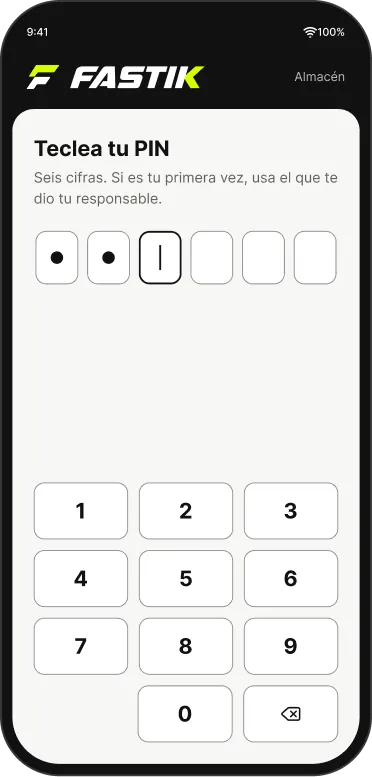
Individual accounts, or a shared device in the workshop with a PIN per person.
- You know who took what, how much and when.
- Unlink a device in one tap.
- Each company decides when an idle session closes.
Your data
Each company's data, kept apart.
Each company sees only its own, and the database enforces it, not the screen. It installs like an app from the browser.
- Data is stored in the EU
- Installs like an app
- Light or dark mode
Who it's for
For any maintenance spare-parts storeroom.
Bulbs, filters, taps, consumables, tools. If there's a storeroom and a team taking material out, FASTIK fits.
The technician
- Scans the label with the device's camera.
- Withdraws or restocks one part or several on the same trip.
- Keeps working offline.
- Never sees a price.
The manager
- Sees real stock and gets a heads-up before something runs out.
- Knows what the storeroom is worth and what's being spent.
- Exports to Excel, CSV or PDF.
- Checks who took what, how much and when.